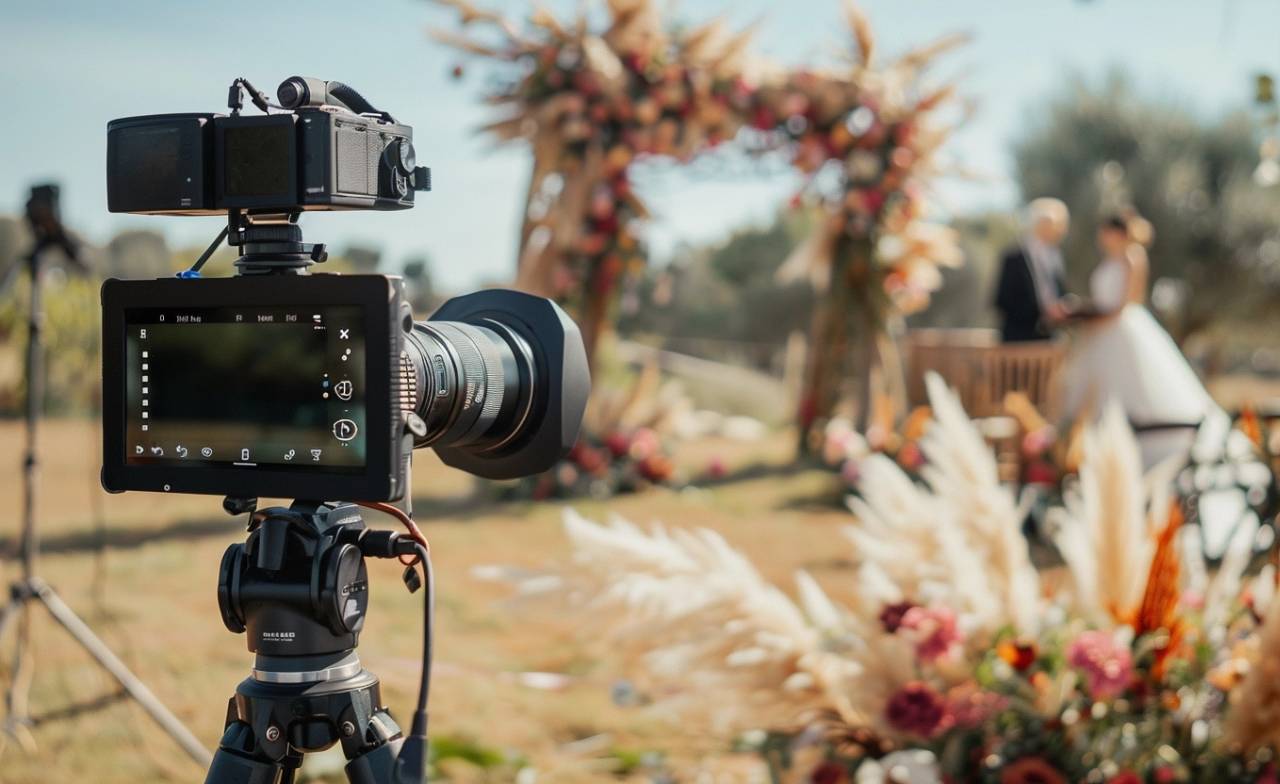

Not everyone can make it to the same celebration, but they can still be part of the moment. With the right live-streaming camera, you can share speeches, surprises, laughter, and everything in between with friends and family watching from elsewhere.
Streaming an event doesn’t have to feel complicated, either. The best streaming cameras make it easier to capture clear video, reliable audio, and the action as it unfolds. We reviewed several popular options to find the cameras that make the most sense for real celebrations and live event setups.
Below are our top picks, their strongest features, their limitations, and the types of events they suit best, so you can choose a streaming camera with confidence.
Quick Navigation:
- Our Pick Among the Best Streaming Cameras
- Advantages of Camera Streaming
- How to Choose the Best Streaming Cameras
- Place Your Streaming Camera at an Event
- Make Every Live Event Worth Watching
- FAQs
Top Picks: Best Streaming Cameras 📹
Finding the right streaming camera depends on how and where you plan to use it. Some events need a simple camera you can set up in minutes, while others call for sharper 4K video, smart tracking, or flexible multi-camera coverage.
We compared several options for different budgets and event setups, so you can quickly see which one best fits your celebration.
CUTELULY Video Camcorder 🏆
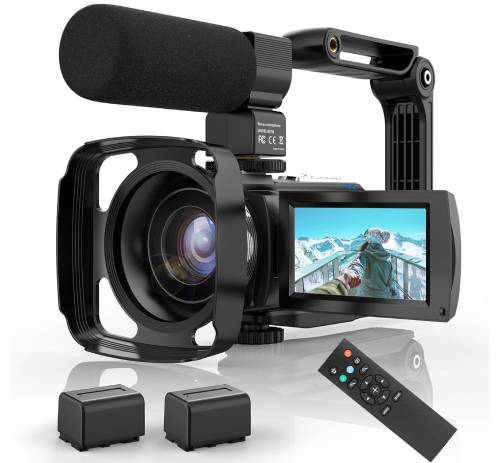
The CUTELULY Video Camera Camcorder is a solid pick for anyone looking for a dependable streaming camcorder with a simple setup. It has built-in night vision and a microphone, so your video and audio stay sharp even in low light. Perfect for indoor gatherings or casual shoots, it’s an easy-to-use camcorder for live streaming without any hassle.
Rating: 4.2  based on 355+ reviews

| Highlights | What We Like | Areas for Improvement |
|---|---|---|
|
|
|
Among the best video cameras for live streaming, this camcorder is a go-to for anyone hosting personal events like luxury birthdays or weddings. Its night vision capability makes it well-suited for evening or indoor events where lighting is limited.
Verified Reviews 💬
Mike V., Amazon: Classic style camera at a great price
If you are looking for very modern/super high-quality, then you might wanna buy something for more money. I got this camera specifically because it is very simple and feels/operates like an older style handheld camera. I personally like that look better than the modern super digital and super HD styles. For the price , this is a fantastic camera.
OBSBOT Tail Air ⭐
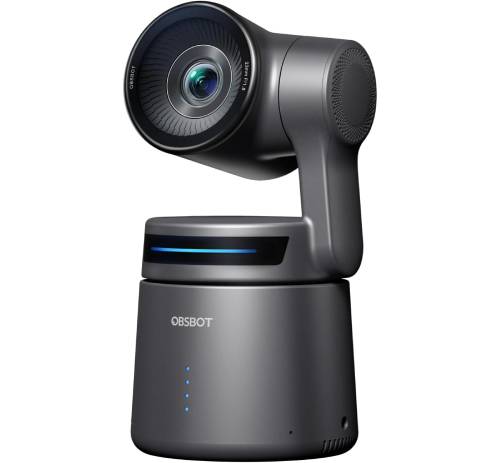
The OBSBOT Tail Air is a strong camera for live-streaming events that captures sharp detail and smooth motion. With 4K resolution and smart AI tracking, it focuses on what matters most. It’s well-suited for luxury occasions or any setup where staying on track with the action is key.
Rating: 4.1 based on 360+ reviews
| Highlights | What We Like | Areas for Improvement |
|---|---|---|
|
|
|
It’s one of the best video cameras for streaming, especially for those who need 4K quality and smart tracking in a portable package.
Verified Reviews 💬
Terry B., Amazon: Simple to use and quality video
LOVE IT. This webcam is incredibly simple to use. Except for learning the simple hand gestures to enable the auto-tracking, you really don’t even need the instruction manual, it’s that intuitive. Video quality is excellent, and I have tried it in a variety of settings: business-related SM recordings, Zoom meetings, low light, back light, contrasty light, and more.
SZOOMSY Camera ⭐
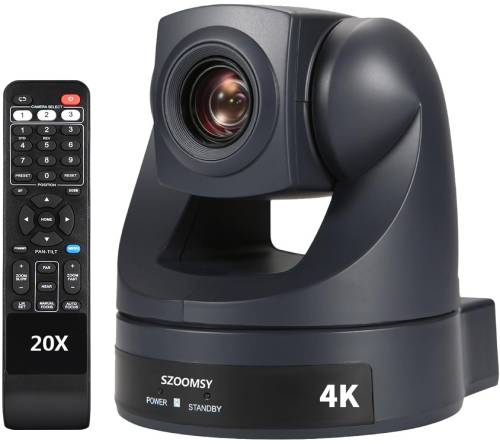
The SZOOMSY HDMI USB PTZ Camera delivers powerful zoom and precise pan-tilt control. This model stands out as one of the best camcorders for live streaming, especially for various luxury events.
Rating: 4.1 based on 20+ reviews
| Highlights | What We Like | Areas for Improvement |
|---|---|---|
|
|
|
To further enhance outdoor events, consider pairing streaming cameras with outdoor projectors. These can display live footage or pre-recorded videos and make every angle of your event larger than life.
Verified Reviews 💬
Andrew W. C., Amazon: Great image. Works great for OBS software.
Yes, as the other reviews indicate, these do not have the smoothest movement. So if you are going to be moving the cameras while recording, you probably don’t want these. However, the zoom is nice and smooth so if you are going to set and record, they work perfectly and easily. I bought 3 and set them up super easy on the free OBS software. I used only the USB cables and have had zero issues thus far.
Logitech for Creators ⭐
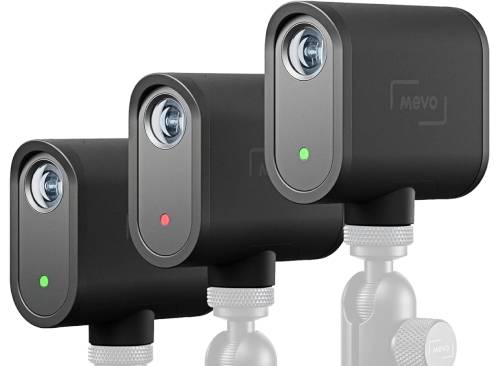
For those planning a grand event with multiple angles and perspectives, the Logitech for Creators Mevo Start 3-Pack is unparalleled. These cameras offer seamless HD multi-camera streaming.
The result is a dynamic, professional-looking broadcast that captures every smile and surprise from your picnic or event.
Rating: 4.3 based on 270+ reviews
| Highlights | What We Like | Areas for Improvement |
|---|---|---|
|
|
|
These cameras are excellent for streaming live events, giving organizers professional flexibility and quality.
Verified Reviews 💬
Scott S., Amazon: Great cameras!
I have 8 of these for my live-streaming business for large conferences and events. I also use them for when I video weddings! What awesome little cameras that work perfectly and long lasting on one charge. For my large multi-day events I put an external battery pack and now get about 30 hours of use non-stop! If I needed more of these, I would be getting more! You will be happy you got them. Just pure awesome!
Advantages of Camera Streaming 📡
Live sessions are advantageous with the best live streaming cameras for many reasons, such as:
- Lets distant friends and family join the event live;
- Shows the setting, decorations, and real moments as they happen;
- Works well for a luxury birthday picnic, weddings, and outdoor gatherings.
- Multi-camera setups offer smooth coverage from different angles.
- A practical option when a full video crew isn’t available.
- Combines easily with extras like a speaker cooler for music and ambiance; and
- Helps everyone feel included, no matter where they are.
Additionally, ensuring good audio is as crucial as capturing quality video for outdoor events. Pair your streaming setup with a speaker cooler, which keeps your drinks cold and your music loud.
How to Choose the Best Streaming Cameras 🎥
Choosing the best streaming camcorder can make all the difference in capturing your events with clarity and style. Here’s what to look for:
- Image Quality 📷 Choose at least 1080p resolution. Go for 4K if you want more editing flexibility.
- Low-Light Performance 🌟 Pick models with large sensors to handle dim lighting and preserve ambiance.
- Autofocus 🎥 Fast, reliable autofocus keeps moving subjects clear and sharp.
- Connectivity 🔌 HDMI, USB, and Wi-Fi options make setup easier across venues.
- Build and Portability 🎥 Lightweight, durable designs are ideal for outdoor and frequent use.
- Battery Life 🔋 Long battery life or external power support keeps you streaming without interruption.
For more vibrant and dynamic gatherings, like foam parties, best foam party machines add a playful touch while the streaming cameras capture the frolic and fun.
Place Your Streaming Camera at an Event 📍
Good streaming camera placement can improve framing, lighting, sound, and the overall viewing experience. Before guests arrive, choose a position that captures the main activity without blocking walkways or interfering with the celebration.
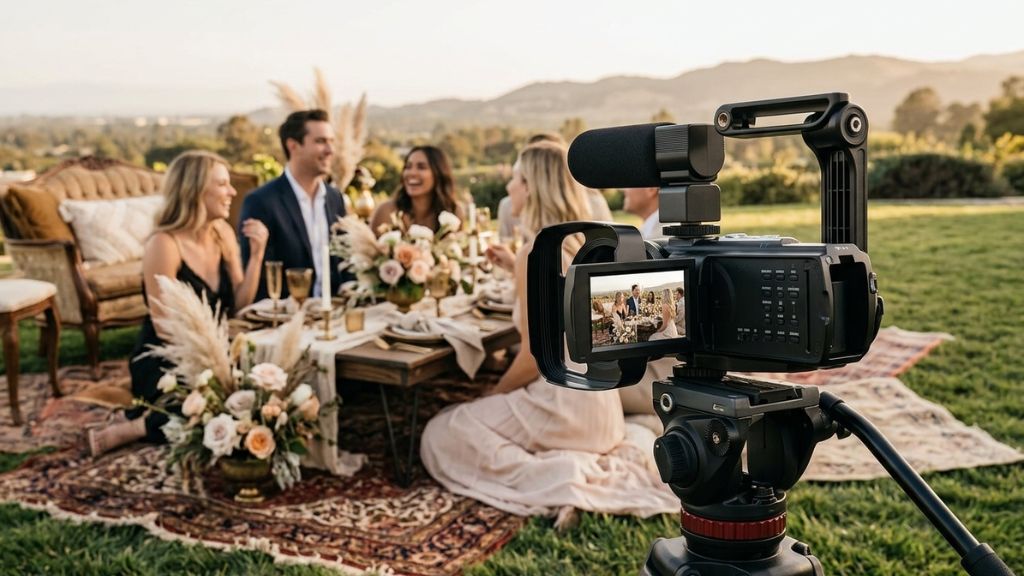
For most live events, keep these placement tips in mind:
- Keep the camera near eye level for a more natural viewing angle.
- Avoid direct sunlight behind your subjects, which can make faces appear dark.
- Keep tripods away from entrances, food stations, and busy walkways where guests may bump into them.
- Use wider shots for group moments such as speeches, games, or cake cutting.
- Place PTZ or optical zoom cameras farther back when you need close views without placing equipment near guests.
- Secure outdoor equipment on grass or uneven surfaces and protect it from wind, sand, or unexpected weather.
- Keep microphones away from loudspeakers to reduce distortion and feedback.
For a multi-camera live stream, use three simple angles: one wide establishing shot, one camera focused on the main activity, and one close-up angle for reactions and important details.
Test every angle before the event starts so you can catch blocked views, poor lighting, or audio problems early.
Make Every Live Event Worth Watching ✨
The right streaming camera helps distant friends and family feel included while capturing the atmosphere, reactions, and important moments of your celebration. Focus on the features that match your event, such as reliable autofocus, strong low-light performance, flexible connectivity, useful zoom, and enough battery life for the full gathering.
Camera placement matters just as much as the equipment itself. Good framing, stable positioning, clear audio, and a quick test before guests arrive can make your live stream look far more polished.
Planning the event itself takes just as much care. Picnic Makers creates beautifully styled luxury picnics and celebrations designed around your occasion, location, and guest experience. Birthdays, anniversaries, family gatherings, and other special events- our team handles the setup so you can focus on enjoying the moment.
Ready to create a celebration worth sharing live? Explore Picnic Makers and start planning your luxury event today.
FAQs
What features make a camera particularly good for streaming outdoor events?
Weatherproof streaming video cameras are a smart choice for outdoor events with unpredictable conditions. Additionally, HDR (High Dynamic Range), the best streaming cameras, is beneficial as it can more effectively handle the bright and shadowed areas of an outdoor setting.
How important is the zoom feature for live streaming cameras?
The zoom feature is crucial in large venues because it lets the best streaming camera capture details from a distance without moving the setup. Choose live streaming cameras with optical rather than digital zoom.
Can someone with no technical expertise use streaming cameras?
Many modern streaming cameras have user-friendly interfaces designed for beginners. Look for cameras with automatic settings for exposure, focus, and white balance, which can greatly simplify streaming for non-technical users.
What are the advantages of Wi-Fi-enabled streaming cameras?
The best streaming cameras enable Wi-Fi to stream directly to the internet without physical cables. This makes setup easier in locations where running cables is impractical.
How does AI tracking enhance the streaming experience?
AI camera tracking technology automatically detects and follows subjects during an event. This feature ensures the camera remains focused on the main action without manual adjustment.
Affiliate Disclaimer: This article contains affiliate links. We may earn a commission if you purchase through these links at no extra cost.